You teach better
when you take notes.

But there's never time to write them. Remo listens while you teach and turns each Pilates session into notes.

Your best thinking needs the details.

During a session, your attention belongs to your client in the moment. You're present. Your notes are where you get to think: spot the patterns, see what's working, plan what's next.

But notes take fifteen minutes a client, and across four clients, that's an unpaid hour. So they get shorter, then they stop.

Next session, your instincts are working with half the picture.

Remo tracks the details so you can do the thinking.

01

Record.

Tap once and teach the way you always do. Remo recognizes each exercise as you cue it, along with the springs, the props, and what your client said about how it felt. You stay with your client while Remo takes the notes.

02

Review.

After the session, the summary is waiting: a muscle heat map, your client’s spinal motion, and every exercise in order. See the whole session, not just the parts you remember.

03

Prep.

Before your client walks in, look over their recent struggles, wins and patterns, plus a heat map of what you've worked across their last few sessions, so you can plan with the full picture in mind.
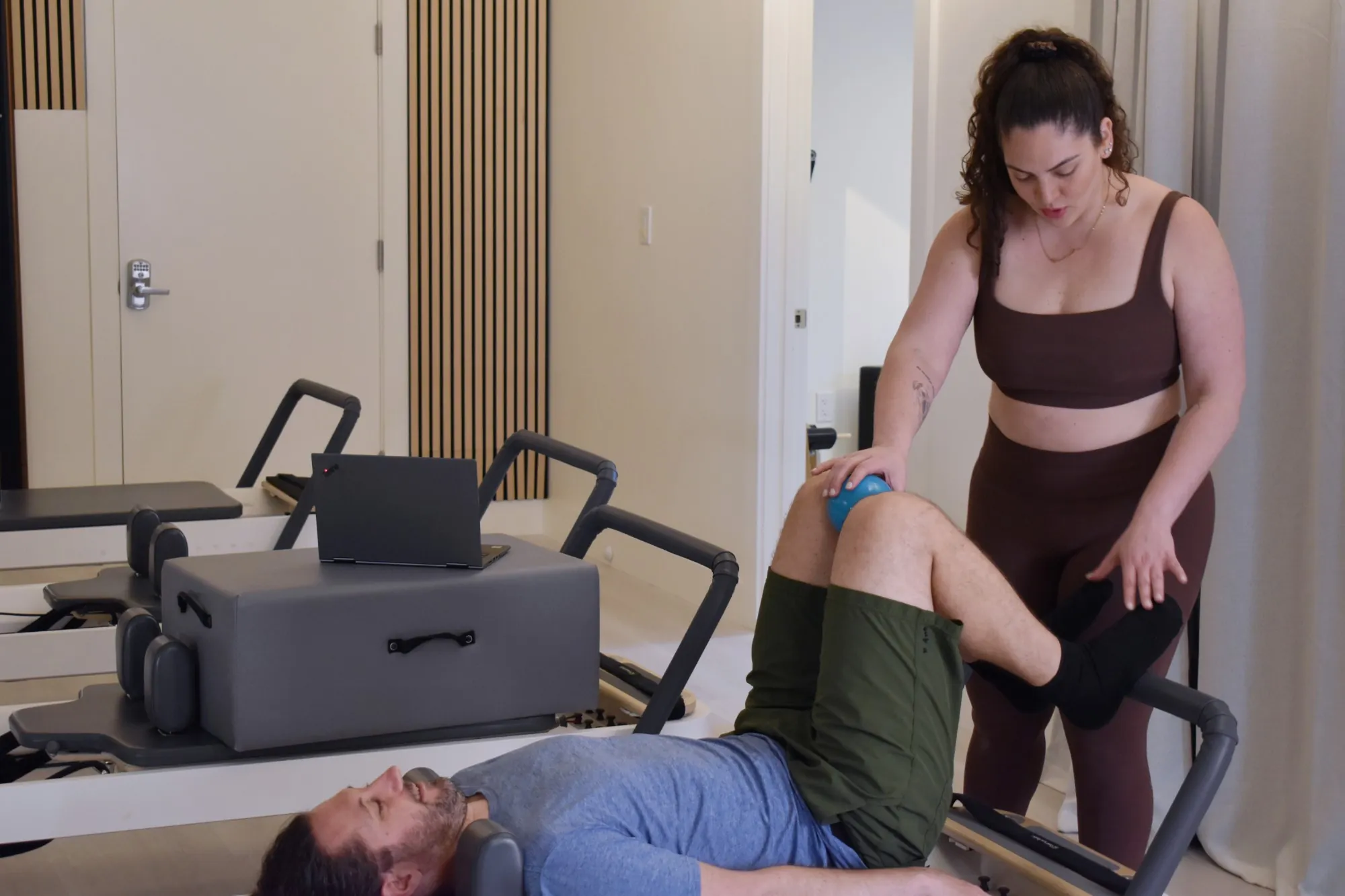
An instructor rests a hand on a small ball at their client’s knee while the client lies on the reformer.

Every session builds on the last.

You walk in knowing where you left off: what hurt, what worked, what you meant to try next. Your programming has a through-line instead of a fresh start every week.

And your clients feel it. They can tell you’re building toward something together.

Kaleen Canevari

Built by a veteran Pilates instructor.

Remo is made by Kaleen Canevari: a comprehensively trained Pilates instructor who’s taught for over a decade, a mechanical engineer who’s designed Pilates equipment, and a three-time founder.

She built Remo to see her own teaching more clearly. Session after session, it showed her the same gap: she was barely teaching lateral flexion. Sometimes that was deliberate. More often, it was a blind spot, and once it was in front of her, she fixed it.

Kaleen isn’t here to tell you how to teach. Remo reflects your own expertise back to you, so you can spot what’s working, adjust what isn’t, and explain it to your clients.

See the full picture
every session.

For solo instructors who teach mostly private sessions.

Show your clients how far they've come.

The first time they do Teaser on their own, you’ll have the date and every session that led up to it. The month their bridges went from two springs to one, you’ll have that too. You’ve always known how much your clients change. Now they’ll see it too.

Common
questions.

Is Remo an app I can download?+
No. Remo runs in your internet browser on any device. You can make it appear as an icon on your iPhone home screen by hitting share from the Remo homepage in Safari and tapping “Add to Home Screen”.
Does Remo record personal conversations?+
Your browser records audio of the entire session and sends it to a transcription service that doesn't store it. The transcription is sent to Remo and stored on our secure servers. Remo reads the whole transcript but only writes down what belongs in a session note: exercises, cues, how the body felt, pain, homework, and anything about scheduling. That includes what your client says about their week or their sleep when it explains how they're moving. Chat with nothing to do with the session or their body has nowhere to land.
Do I need to teach differently for Remo to work?+
You don't need to use specific words or phrases to make Remo understand. Remo listens to you and your client, but it doesn't watch. If you are primarily a teacher who demonstrates, Remo may not be for you. However, try it! You may be surprised at how much information Remo can glean from your words while you teach. For small habits that lead to richer summaries, see our recording tips.
Does Remo work on all Pilates equipment?+
Yes!
Does Remo recognize non-Pilates exercises?+
Yes! Remo is built to recognize the cues and instructions you give, not match what you say to a static library. So the movement possibilities are endless.
What happens to my data?+
Remo securely stores your session transcripts on our servers so you can re-analyze past sessions at any time. Your transcripts and session summaries are visible only to you, the Remo team when troubleshooting, and anyone you deliberately send a summary or sub brief to. We don't sell your data, and we don't hand it to other instructors on our own. For more information on how we handle your data, visit our Your Data page or read our Privacy Policy.
Can I edit Remo's output?+
Yes, Remo's output is fully editable.
Can I play music while I'm recording?+
Yes, just not from the same device you're recording on. Most phones, tablets, or computers don't handle listening and playing audio at the same time. But background music playing from somewhere else is okay.
Does Remo support group class recording?+
Remo is built around 1:1 teaching, where remembering each client matters most. You can create a “Group” client to capture recurring duet, trio, or group programming week to week, but the more folks in a class the less individualized the tracking gets.
Can I share Remo's session summary?+
Yes! Use the share button on any session summary to send to your client, yourself, or another email address of your choice. You can even select which sections to send, if you don't want to share everything.
Does Remo make suggestions?+
No. Remo records and reflects what you teach. It never assumes the role of an instructor or makes suggestions for you.
Is Remo classical or contemporary?+
Because Remo is trained to recognize cues, not exercise names, you can teach any style you want, and it follows whatever you teach.
What languages does Remo work with?+
Currently Remo only works in English. Sign up for our newsletter to be alerted when it's available in other languages.

First-time recording? Read our recording tips.